

Taming Tool Calling with Kimi K2.5
Strategies for Reliable Agentic Workflows on a Budget

The Economics of Always-On AI Agents
Running AI agents at scale forces a question that most benchmarks ignore: what does this cost per month?
If you’re building a personal assistant that answers three questions a day, model cost is irrelevant. But if you’re running an agentic platform - one that monitors inboxes every 30 minutes, scans GitHub boards every 15 minutes, consolidates memory nightly, and coordinates across dozens of agents - you’re burning tokens continuously. The meter never stops.
On OpenClaw, our agent orchestration platform, we run 23 agents across 5 gateway tiers. They have heartbeats, cron jobs, email monitors, and inter-agent delegation. A single day of operation can consume hundreds of millions of tokens across all agents combined. Run that on Claude Opus at $15/$75 per million tokens, and you’re looking at a bill that would make most teams reconsider the entire architecture.
This is the uncomfortable truth about agentic AI: real impact comes from scale, and scale demands cost efficiency. You can’t run everything on the most expensive model and call it a strategy.
Why Kimi K2.5
Moonshot AI’s Kimi K2.5 occupies a sweet spot that most model comparison charts don’t capture. It’s a strong thinking model with solid reasoning capabilities, available through Fireworks and OpenRouter at a fraction of the cost of frontier models from Anthropic or OpenAI.
For the majority of tasks an AI agent performs - reading emails, querying databases, summarizing status updates, drafting responses, searching the web - Kimi K2.5 performs comparably to models that cost 10-50x more. Not every task needs a state-of-the-art model. The 90th percentile task is not a novel research problem or a complex multi-file refactor. It’s “check if there are new emails and tell me if any need a response.”
We run Kimi K2.5 as the primary model for 18 of our 23 agents. The remaining five use Claude Sonnet or Opus for specific tasks where the quality difference justifies the cost - code review, complex GitHub orchestration, and knowledge distillation routines. This hybrid approach lets us operate at scale without the bill scaling linearly with capability.
The Problem: Tool Calling Consistency
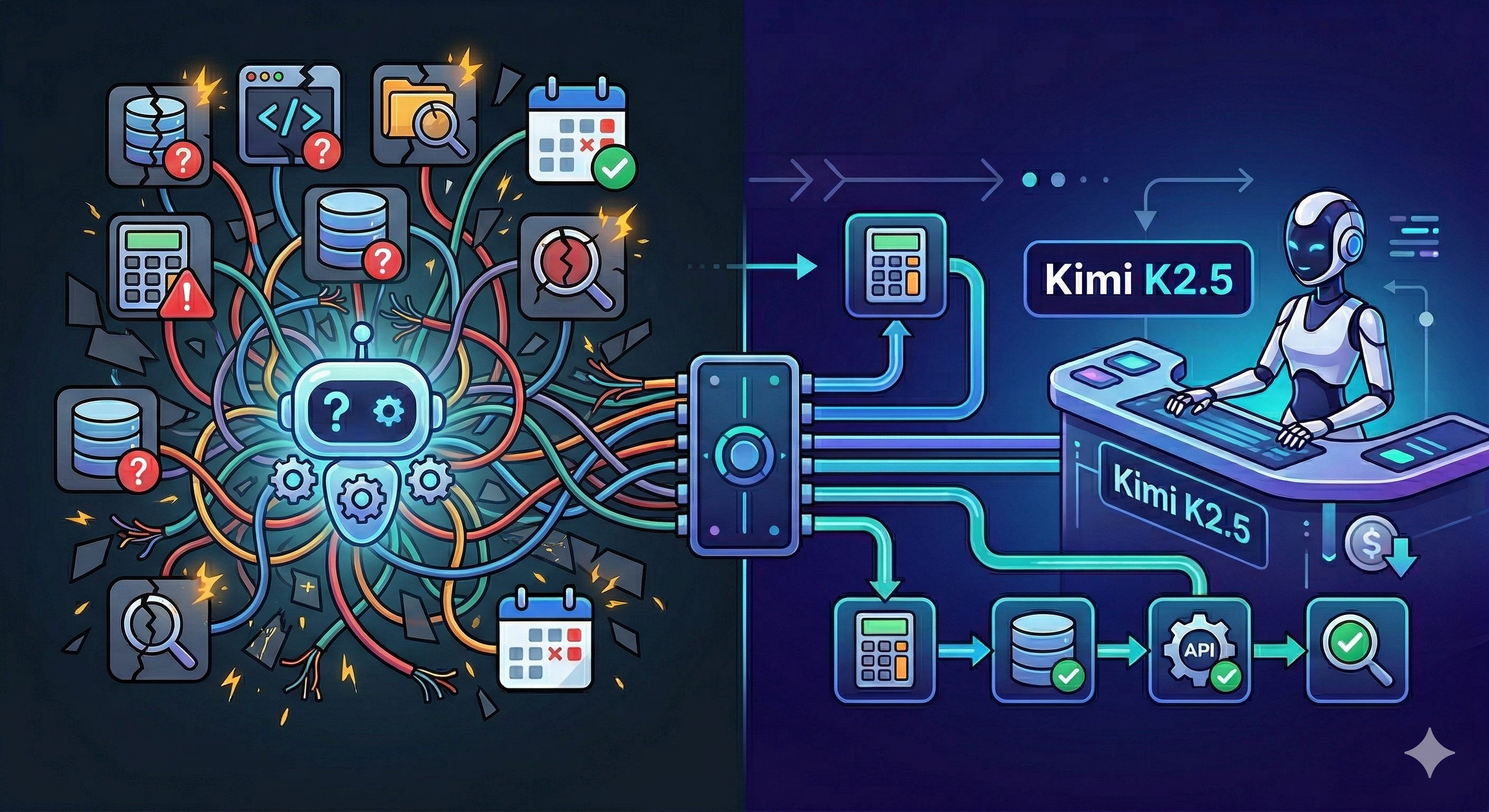
Kimi K2.5 has a weakness, and it’s not subtle: it struggles with tool selection when presented with many tools.
In OpenClaw, agents interact with the world through tools - exec runs shell commands, read reads files, write creates files, message sends messages to other agents, web_search queries the internet, and so on. A fully-equipped agent might see 20+ tools in its context. For models like Claude Sonnet or Opus, this is no problem. They reliably map intent to the correct tool and populate parameters correctly.
Kimi K2.5 does not.
The Failure Patterns
After running Kimi K2.5 in production for several weeks across multiple agents, we identified three distinct failure patterns:
Pattern 1: Wrong tool, missing parameters. The model calls read (which reads files from disk) when it intends to run a shell command via exec. It passes command strings where a file path is expected, resulting in errors like read tool called without path. This is the most frequent failure - in one session, the model retried this exact wrong pattern 20+ consecutive times without self-correcting.
Pattern 2: Shell syntax leaking into tool parameters. The model stuffs entire shell commands, heredocs, and even email bodies into the path parameter of read or write. It conflates “I need to execute something” with “I need to put text somewhere” and picks whichever tool feels closest. We observed paths like:
/Users/agent/workspace/: command >>MAIL_EOF gog gmail drafts create --to user@example.com --subject “URGENT” --body “Hi...”That’s an entire email draft command embedded in a file path field.
Pattern 3: Degenerate retry loops. When a tool call fails, instead of adapting its approach, the model enters a loop of sending empty or malformed tool calls. After a script-not-found error, we observed three consecutive exec calls with {”command”: “”}. The model doesn’t recover - it degrades.
Why This Happens
The root cause is tool schema compliance under cognitive load. When presented with 20+ tools that have overlapping surface areas - read, write, edit, and exec all deal with “files” or “content” in some way - Kimi K2.5 loses the mapping between tool names, their parameter schemas, and the intended operation.
Claude Sonnet and Opus maintain clean separation between “run a command” (exec) and “read a file” (read) regardless of how many other tools are present. Kimi K2.5’s tool selection degrades as the tool count increases and descriptions overlap.
Strategies That Work
We developed a three-layer approach that dramatically improved Kimi K2.5’s tool calling reliability in production. The key insight is that you can compensate for weaker tool selection by reducing the decision space, rather than trying to make the model smarter through prompting alone.
Strategy 1: Reduce the Tool Surface
This is the highest-impact change. Instead of presenting every tool to every agent, use your platform’s tool policy system to restrict each agent to only the tools it actually needs.
We have an investment manager agent called TICoons for all our experiments. TICoons was seeing 20+ tools. It only needs five:
exec - run CLI commands (ticoons, gog gmail, bash scripts)
read - read files (memory, configs)
write - write temp files (email drafts)
message - communicate with parent agent
web_search — look up information
We denied everything else:
{
  “id”: “ticoons”,
  “tools”: {
    “deny”: [
      “edit”, “apply_patch”, “process”, “web_fetch”,
      “browser”, “canvas”, “image”, “image_generate”, “tts”,
      “sessions_list”, “sessions_history”, “sessions_spawn”,
      “sessions_yield”, “subagents”, “cron”, “gateway”,
      “nodes”, “agents_list”
    ]
  }
}
Going from 20+ tools to 5-6 is the single most effective change for weaker tool-calling models. With fewer options, the model makes fewer wrong choices. The confusion between read and exec drops significantly when edit, apply_patch, browser, and a dozen other distractors are removed from the decision space.
Rule of thumb: If a model struggles with tool selection, aim for 5-8 tools maximum. Every tool beyond that increases the probability of a wrong pick.
Strategy 2: Explicit Tool Guidance in Agent Instructions
Prompt-level guidance helps, but only when combined with a reduced tool surface. On its own, adding “use exec for commands” to the system prompt doesn’t reliably override Kimi K2.5’s confused tool selection. Combined with a smaller tool set, it becomes effective reinforcement.
We added a structured reference table to the agent’s tool configuration document:
## CRITICAL: Tool Selection Rules

**To run ANY shell command**, you MUST use the **`exec`** tool.
**The `read` tool is ONLY for reading file contents from disk.**
**The `write` tool is ONLY for writing content to a file on disk.**

| I want to...                     | Use this tool |
|----------------------------------|---------------|
| Run `gog gmail search ...`       | **exec**      |
| Run `gog gmail drafts create`    | **exec**      |
| Run `ticoons dashboard`          | **exec**      |
| Run any bash/shell command       | **exec**      |
| Read a file from disk            | read          |
| Write content to a file on disk  | write         |
The table format works better than prose for Kimi K2.5. It creates an unambiguous lookup rather than requiring the model to parse nuanced instructions.
For operations with complex parameters (like sending emails with multiline bodies), provide a concrete pattern:
### Sending Emails with Long Bodies

Write the body to a temp file first, then pass it:

1. `exec` → `cat > /tmp/email_body.html << ‘EOF’ ... EOF`
2. `exec` → `gog gmail drafts create --body-file /tmp/email_body.html ...`
Strategy 3: Deterministic Pipelines for Critical Operations
For high-stakes operations - anything involving money, external communications, or irreversible actions - don’t rely on the model’s tool selection at all. Wrap the operation in a deterministic bash script and have the model call one command.
After an incident where our investment agent funded a paused project using the wrong CLI command with wrong parameters, we created a wrapper script:
Instead of trusting the model to construct:
ticoons transfer “ProjectName” <amount> “user-uuid-here”The model calls one script:
bash scripts/execute-funding.sh “ProjectName” <amount>The script handles:
- Correct RPC method (transfer_funds, not make_investment)
- Hardcoded user ID (no chance of misattribution)
- Input validation
- Structured JSON output
This pattern - deterministic scripts called by a single exec - is the most reliable way to use weaker models for critical operations. The model only needs to get one tool call right (exec with a simple command string), and the script handles all the complexity.
We apply this same pattern to cron jobs. Instead of asking the model to “check for new emails,” the cron job runs a bash script that queries Gmail, filters by VIP senders, applies quiet hours, and outputs structured JSON. The model only interprets the results - it never touches the email API directly.
Bonus Strategy: Hybrid Model Routing
Not every agent task has the same difficulty. Use your primary cheap model for routine operations and fall back to a more capable model for edge cases.
In OpenClaw, each agent can specify a primary model with fallbacks:
{
  “model”: {
    “primary”: “accounts/fireworks/models/kimi-k2p5”,
    “fallbacks”: [
      “anthropic/claude-sonnet-4-6”,
      “anthropic/claude-sonnet-4-5”
    ]
  }
}
When Kimi K2.5 times out or fails (which happens under heavy reasoning load), the system automatically falls back to Claude Sonnet. This gives you the cost efficiency of the cheap model for 90% of requests while maintaining reliability through fallback.
For agents where tool calling reliability is mission-critical, you can also invert this - use Claude Sonnet as primary and Kimi K2.5 as the cost-saving fallback for overflow.
What Doesn’t Work
For completeness, here’s what we tried that didn’t meaningfully improve tool selection:
Longer tool descriptions alone. Adding more detail to tool descriptions without reducing the total tool count didn’t help. The model’s confusion is about tool selection, not tool understanding. It knows what exec does — it just picks read anyway.
Retry-on-failure loops. When Kimi K2.5 picks the wrong tool, retrying with the error message doesn’t reliably correct course. The model tends to enter degenerate loops (calling the same wrong tool repeatedly) rather than switching strategy. Tool loop detection and circuit breakers help prevent runaway token spend, but they don’t fix the underlying selection problem.
Few-shot examples in the system prompt. We expected this to work well but saw minimal improvement. The examples are helpful for parameter formatting but don’t reliably override the model’s tool selection instincts when many tools are present.
The Bottom Line
Kimi K2.5 is a capable and cost-effective model that handles the vast majority of agentic tasks well. Its weakness in tool calling consistency is real but manageable with the right architectural choices:
Reduce the tool surface to 5-8 tools per agent. This is the highest-leverage fix.
Add structured tool guidance (tables, not paragraphs) to agent instructions.
Wrap critical operations in deterministic scripts. Don’t let the model touch high-stakes APIs directly.
Use hybrid model routing for reliability without blowing your budget.
The goal isn’t to make Kimi K2.5 behave like Opus. It’s to architect your system so that the model’s weaknesses don’t matter. When an agent only sees 5 tools and critical operations are wrapped in scripts, the difference between a $1/M-token model and a $75/M-token model becomes a lot smaller than the benchmarks suggest.
Running 23 agents around the clock is only feasible if you’re thoughtful about where you spend your tokens. The frontier models are remarkable - use them where they matter. For everything else, there’s Kimi K2.5 and a well-designed tool policy.
I’d like to give a special shoutout to the Fireworks AI team for working so closely with us over the past few weeks and helping us navigate these issues and many others.
Rahul, you mentioned "Tool loop detection and circuit breakers help prevent runaway token spend, but they don’t fix the underlying selection problem." Is that possible for us to do in a openclaw agent? or is it applicable for when we built on top KIMI k2.5 with external workflows?