

Offload your heavy Beads/Dolt/Postgres usage...locally?
With AI at your fingertips, there's no excuse.

For the past few days I’ve been on a recursive set of yak shaves. For the uninitiated, a “yak shave” is when you set out to do a simple task but end up buried in a long chain of side-tasks that seem pointless or unrelated, yet are somehow required to get back to the original goal.
What started as a set of markdown files has now evolved into a semantic information storage system, a Beads-based task management / feature request / bug report / inter-agent communications platform, has consumed millions of tokens, and involved the purchase of physical hardware. I’m doing this on a weekend, and having the time of my life.
I’ll give you the lessons up front, then launch into the story:
Ask people what to do
Ask AI how to do it, and to do the work
Save your learnings
Empower both people and AI with context
Agents with passwordless SSH are powerful — but be careful
The initial project
I am a strong believer in CLI tools. In my job as an AI researcher / policy advisor / content creator, I’ve built at least 30 of them. A LaTeX-based PDF carousel generator. Tools to post to social networks. Screenshot prettifiers. Thumbnail generators. The list goes on.
At the same time I’ve been diving deeply into software factories — GasTown and its successor, GasCity. These tools are backed by the fantastic Beads project, which is essentially a to-do list for agents. When AI agents have access to Beads, they’re dramatically better at staying on task. GasCity lets a software factory claim beads, dispatch AI agents to write code, and audit the result.
I naturally used GasCity to develop all of my tools in parallel. And that’s where the trouble started:
I had 30+ CLI tools and no good way to answer a simple question — what do I already have that solves this?
So I started a project called YesodLib (Yesod, יסוד, is Hebrew for foundation). It began as a set of markdown files describing my tools. But my tools are always evolving, especially with software factories at my fingertips. After a bit of daydreaming, YesodLib grew into something bigger: a dynamic knowledge graph, communication plane, tool discovery mechanism, and engineering coordinator all in one. That’s the subject of another post — the important part here is that I started with an idea and a some markdown files, and let it evolve.
The First Yak Shave — Performance and Buying a Computer
Running many agents at once, many of them using Beads, surfaced two related problems:
My computer would often slow to a crawl.
Over-eager agents would sometimes lose beads.
When the machine got slow, I’d fire up OpenCode and ask it to analyze performance. It would consistently find many stuck dolt sql-server processes.
Tip: Fire up your favorite coding harness (Claude, Codex, OpenCode) and ask it “analyze the performance metrics on my computer.” You will learn a lot.
Dolt is the data backend for Beads. They call it “Git for Data” — a MySQL-compatible database, but versioned, so you can diff between commits. It’s a really cool idea, and they have a whole family of related products.
Dolt is also memory-hungry. When it bogged down, it cascaded into failures across my Mac Studio M2 Max with 64GB of unified memory. With Dolt stuck, over-eager agents would relaunch Beads in embedded Dolt mode and file beads in the wrong place.
GOAL: Have a rock-solid, always-available dolt sql-server that can be as busy as it wants, use as much memory as it needs, and not contend for resources on my main machine.
ACTION: For the first time in years, I decided to buy a proper Xeon-based Linux workstation.

This was the inflection point. The work stopped being something my desktop did, and started being something a fleet did.
Side Quest 1 — AI-Powered Performance Dashboard
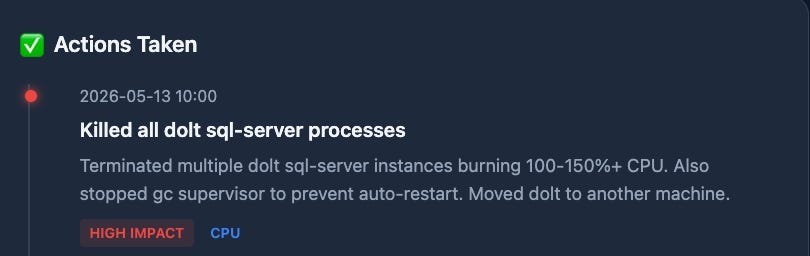
Once I had a reliable way to analyze system performance, I built a dashboard. I now have a cron job that snapshots performance, compares it against recent snapshots, and uses AI to surface recommendations and show their impact over time. This has been extremely handy for understanding the performance of my system. Do yourself a favor and try building your own.
Lesson 1 — Ask people what to do
I found what I wanted on Facebook Marketplace: an old Lenovo ThinkStation P520C with 32GB of ECC RAM and a Xeon W-2123. It looked right to me, but I pinged my friend Darko Mesaros for validation.
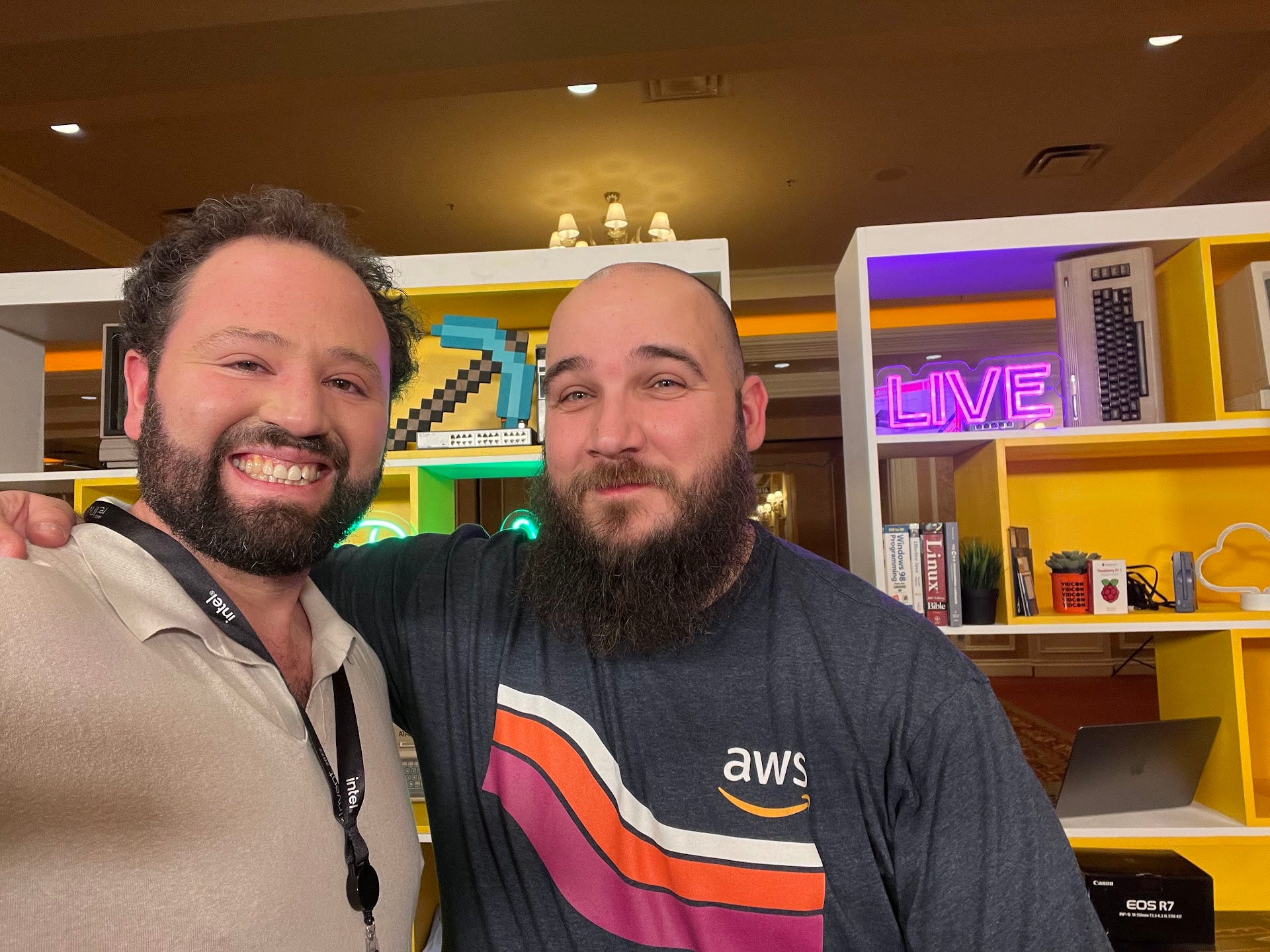
If there’s anyone who knows old servers, it’s Darko. He confirmed $180 was reasonable, so I drove across town on a Saturday morning to grab it.
Darko also suggested I manage it with Proxmox. On the drive across Seattle, I fired up Perplexity in conversation mode and had a 25-minute talk about Proxmox so I’d understand what it was and how it worked.
Back home, armed with that context, I downloaded the Proxmox ISO, used Balena Etcher to make a bootable USB, plugged in the ThinkStation, and installed Proxmox. Within minutes it told me to visit http://192.168.1.XX:8008 from another machine.
Lesson 2 — Ask AI how to do it, and to do the work
I use the Perplexity Comet Browser — a Chrome fork with a built-in assistant that can actually use the browser. It’s an LLM that can click buttons and see what’s on the screen.
I pasted the URL into Comet, logged into the Proxmox UI, and told Perplexity Computer:
Here is a fresh Proxmox install. Please install the latest Debian on it and once you have that, install Dolt Server on it. Here is the Dolt repo. Read the docs first. https://github.com/dolthub/dolt
I dragged that window onto my second monitor and kept an eye on it. I’ve installed Linux on many machines since the days of Red Hat 5.2 — back when you could walk into CompUSA and buy Linux on CD-ROM. It was genuinely nice to let an agent grind through the install. After a few minutes, stopping only to ask me for a username and password, I had my first Proxmox node running.
This was the second inflection point: infrastructure setup stopped being something I did and became something I supervised.
The Second Yak Shave — A Proxmox PostgreSQL Node
After some coding, I migrated all my local Beads databases to my new Proxmox doltsrv node. But YesodLib also depended on SQLite, and I realized I could swap SQLite for Postgres on another Proxmox node — properly decoupling DB and program, and unlocking features SQLite couldn’t give me.
I fired up an OpenCode session powered by Kimi K2 and told it:
You have passwordless SSH access to ${HOSTNAME}, which is a Proxmox host. Please set up a Debian 13 node running the latest stable Postgres. Here are the username and password I want: ,. Once you have the node running, make sure to set up passwordless SSH to the node as well. Take notes of what you did and put it in yesod-postgres-server.md.
Kimi thrashed a little on the passwordless SSH step but worked it out. I asked it to reflect on what went wrong and save the distilled instructions to HOWTO_SETUP_PASSWORDLESS_SSH.md so future agents could reuse them.
A minute or two later, with no interaction on my part, I had a brand-new Postgres node.
Lesson 3 — Save Your Learnings
Agents burn tokens trying things. Just like people, agents should reflect on what they did right, what they got wrong, and how to do it better next time. Ask them to, and write it down somewhere other agents can find it.
Side Quest 2 — My Local Network
These nodes are bridge-networked to the rest of my LAN. It’s a Class C and getting full. I logged into my TP-Link router’s admin page in Comet and asked it to reserve IPs for all my Proxmox nodes by MAC address. I watched it click through every menu. Now my Proxmox nodes always come up at the same addresses. Cool. ✅
The Third Yak Shave — GitHub Actions
YesodLib requires preprocessing a fair amount of text through LLMs — I call this the distillation step. I’d originally wired it into a pre-commit hook so it would run at commit time and prevent stale data. But my coding agents would get impatient and kill the commit because it took too long.
My fix: move distillation to GitHub Actions, off the critical path. I typed into Codex:
Set up GitHub Actions for the distillation step, and remove it from the pre-commit hook. Report back once you have it running. Use gh as needed.
A few minutes later I had a working Action. It was genuinely satisfying watching it write the YAML and iterate until green. In the pre-AI era, testing these meant a pile of commits titled Testing my runner, #12. Please WORK!!!!. I’m happy to offload that to Kimi.
Side Quest 3 — Self-Hosted Runner on Proxmox
I didn’t want to burn free GitHub Actions credits on long-running jobs that were mostly waiting on inference providers. Back to the OpenCode/Kimi session:
Set up a new Proxmox node which is a GitHub Actions Runner, also on Debian 13. Use the saved passwordless SSH instructions. Give it 6GB of RAM in balloon mode. Let me know when it’s ready.
Less than a minute later a runner was booting inside Proxmox. Kimi handed me a GitHub URL to grab a registration token, I pasted it back, and a few seconds later it told me: add runs_on: {runner_name} to your Action.
Back to Yak Shave 3
I told my main Codex session about the new runner:
I now have a local GitHub Actions Runner on the same Proxmox box as the PostgreSQL and Dolt servers. Modify the distillation action to use this local runner, called {runner_name}.
I watched Codex iterate. The first run failed because the runner didn’t have uv, so Codex added a step to install it. A few more issues and we were good to go.
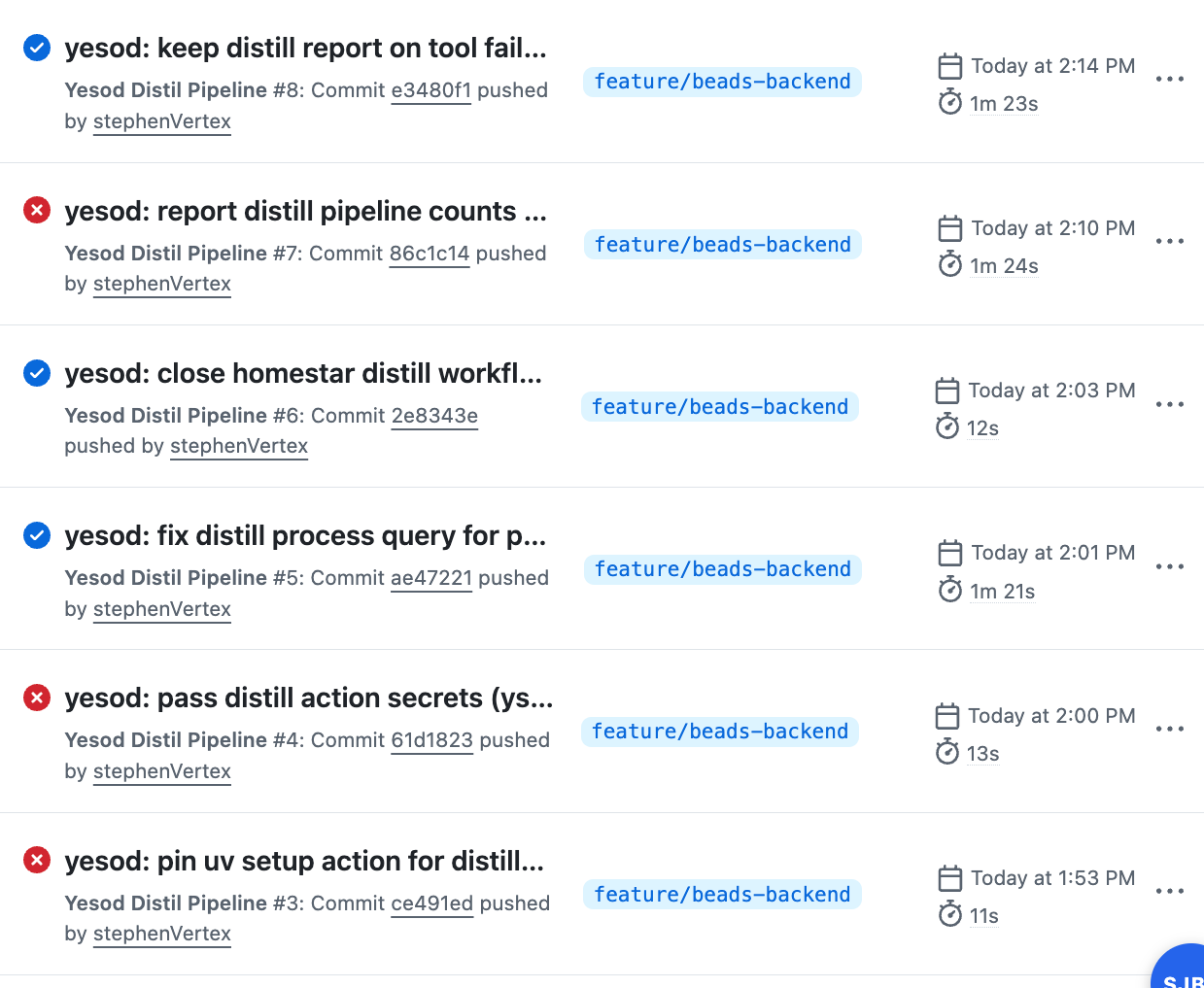
Looking at the artifact, I wanted better evidence the distillation actually produced something useful, so I told Codex:
Modify the output of the action so I can see some evidence that the distillation actually worked and produced output.
Lazy, lame prompt — and it did exactly what I needed.
The architecture, after all the shaving
For anyone trying to hold the moving parts in their head, here’s where I landed:
Mac Studio (workstation) — my brain’s keyboard. Runs editors, coding harnesses, and orchestrates agents.
Proxmox host (ThinkStation P520C) — runs three lightweight Debian VMs:
doltsrv — Dolt SQL server, the durable backend for Beads
yesod-postgres — Postgres for YesodLib’s structured data
gha-runner — self-hosted GitHub Actions runner for distillation jobs
Agents — coordinate work through Beads, with YesodLib as the shared knowledge / coordination / discovery layer.
That’s the system. None of it existed at the start of the weekend.
The real lesson
I gave you five lessons up front, but the pattern underneath them is simpler:
I wasn’t optimizing for tokens, or even efficiency. I was optimizing for keeping momentum in my head.
Were there cheaper ways to install Linux than letting an agentic browser click through a Debian installer? Of course. Was it the most efficient way? No. But efficiency wasn’t the goal — staying in flow was. The critical path is your brain, not your tokens.
A few specific things from this weekend that I want to underline:
Agents + SSH = leverage and risk. Passwordless SSH lets an agent stand up a Postgres node in 90 seconds. It also means the agent can do anything you can do on that box. Watch carefully, scope access where you can, and write down what worked so the next agent doesn’t rediscover the same footguns.
Use AI to close the loops you used to leave open. I love writing core data structures and algorithms. I do not love writing GitHub Actions, versioning policy, or test coverage scaffolding. In the pre-AI era, those loose ends just stayed loose. Now there’s no excuse — the boring boilerplate gets done because the cost of doing it is roughly zero.
There was a particular pleasure to this weekend that I had trouble naming at first. I think it’s this: installing Linux on a VM is usually easy, but there’s a lurking anxiety that you’ll hit some edge case and lose half a day to Stack Overflow. Same with Proxmox. Same with GitHub Actions. None of it is cutting-edge. All of it is a potential time sink.
The difference now isn’t that yak shaving disappeared — it’s that it no longer breaks flow.
Later in the week, I’ll get into what YesodLib actually does.