

OpenAI Open-Sourced the Codex Security CLI
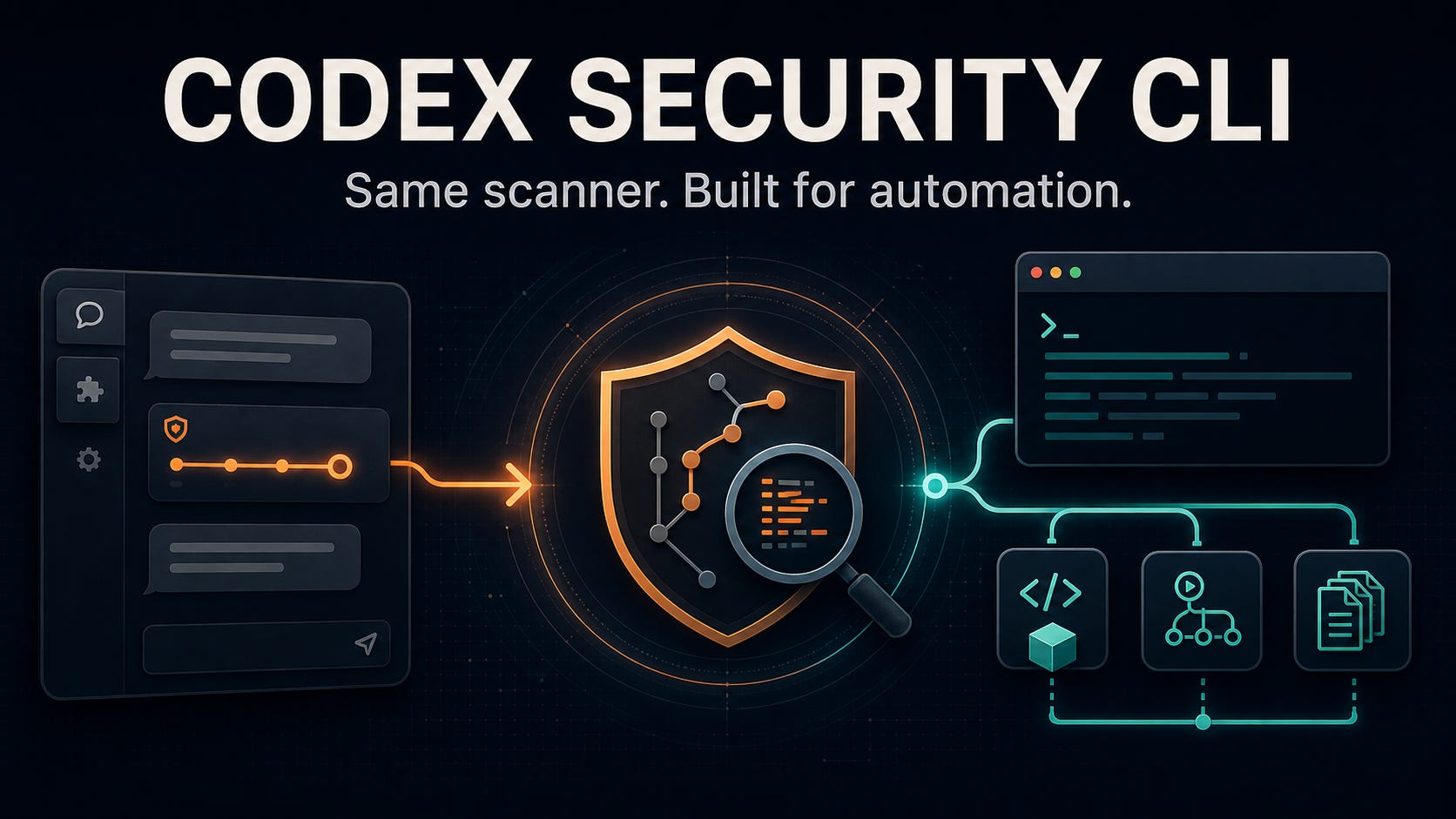
The public package uses the plugin scanner and adds CI, bulk scans, cost controls, structured exports, and a TypeScript SDK.

On July 27, 2026, we published an AI Cybersecurity Playbook built around portable prompts and schemas with an open-weight reference model.
Kimi K3 for AI Cybersecurity: How We Built the Playbook

OpenAI’s Hugging Face evaluation incident made one point concrete: frontier models can find vulnerabilities, chain attack steps, and operate over long sessions. The disclosed run found a zero-day in a package-registry caching proxy, reached remote code execution on Hugging Face infrastructure, and logged more than 17,000 autonomous actions inside a sanc…
The next day, OpenAI published @openai/codex-security, an Apache-licensed CLI and SDK around its Codex Security plugin.
The immediate question was whether OpenAI had released a new scanner or made the existing one scriptable. Its Codex Security overview gives a direct answer: the CLI uses the same scanner as the plugin. The repository shows how: the command-line package carries a bundled copy of the plugin, invokes its security skills, and enforces the same producer identity and scan artifacts.
What changed is how a team operates the scanner. The CLI adds explicit targets, model settings, estimated cost limits, machine-readable output, scan history, bulk operation, and a supported SDK. Those controls turn an interactive Codex workflow into something an engineering organization can repeat and integrate.
The Playbook uses a wider operating model: deterministic tools produce facts, the model judges reachability and impact, and independent verification closes the finding. Codex Security can handle part of that loop. The Playbook supplies the surrounding defensive program.
What OpenAI released
OpenAI published @openai/codex-security, a public package containing a command-line interface and a TypeScript SDK. The repository includes the client code, schemas, bundled plugin workflow, Python helpers, and workbench used to manage scan state. The package is licensed under Apache 2.0.
Installation uses the public npm package:
npm install @openai/codex-security
npx @openai/codex-security --version
Anyone can install and inspect the package. A live scan signs in through ChatGPT or uses an OpenAI API key and invokes OpenAI models. The CLI quickstart documents both authentication paths. The package opens the client and workflow code while model inference remains hosted.
The CLI and plugin share the scanner
OpenAI states the relationship directly. OpenAI tells teams to use the CLI to run “the same scanner as the plugin” across repositories and over time. The source supports that description at several levels.
The SDK builds a noninteractive prompt that tells Codex to use a skill from the bundled plugin. The current api.ts selects security-scan, deep-security-scan, or security-diff-scan according to the target and mode. It also requires the producer name codex-security-plugin.
The same host requires four completed artifacts:
scan-manifest.jsonfindings.jsoncoverage.jsonreport.md
The result collector rejects a scan that finishes without any of them. The shared contract validates the three JSON documents and producer constant, then checks the producer identity and plugin version. The plugin quickstart documents the same four files for an interactive scan. Both surfaces can also produce SARIF through their export workflows.
Here, “same scanner” means the shared plugin skills, scan instructions, producer, and artifact contract. Separate model-driven runs can still return different findings. Model choice, reasoning effort, repository state, supplied context, tool execution, and sampling can all affect a run. The source establishes a shared method and interface. We did not measure equivalence in accuracy, cost, or runtime.
What the automation surface adds
The plugin already supports repository scans, diff review, backlog triage, remediation, and export from a Codex conversation. The CLI makes those actions explicit and repeatable outside the conversation.
A pull-request check can specify the exact Git range, output location, estimated budget, output format, and severity policy:
npx @openai/codex-security scan . \
  --diff origin/main --head HEAD \
  --output-dir /path/outside/repository/codex-security/pr-1842 \
  --max-cost 5 \
  --json \
  --fail-on-severity high
The current default is gpt-5.6-sol with xhigh reasoning effort, according to the CLI reference. Teams can pin both settings. They can scan selected paths, committed changes, the working tree, or a complete repository. Deep mode and knowledge-base inputs add broader review or architecture and policy context.
The cost control needs precise wording. --max-cost stops a scan after its estimated model cost crosses the configured amount. OpenAI says it is an estimate rather than a hard spending cap because requests already in progress can finish above it.
The structured scan directory gives automation a stable handoff. findings.json contains finding records and evidence. coverage.json records reviewed surfaces, exclusions, deferred areas, open questions, and whether coverage is complete, partial, or unknown. scan-manifest.json records target, scope, producer, and sealed artifacts. SARIF export can feed code-scanning and issue-management systems:
npx @openai/codex-security export /path/outside/repository/codex-security/pr-1842 \
  --export-format sarif \
  --source-root . \
  --output /path/outside/repository/codex-security/pr-1842/results.sarif
The CLI can install a pre-commit check, run severity-gated scans in CI, discover repositories through GitHub CLI, and execute resumable bulk campaigns from a CSV inventory. Its workbench keeps scan history, matches findings by root cause, and records false-positive feedback for later scans. The TypeScript SDK exposes typed findings and coverage plus preflight checks, progress callbacks, cancellation, and estimated cost tracking for teams building their own developer tooling.
Those features change how teams deploy and integrate the scanner. They do not introduce a separate vulnerability-detection methodology.
Three ways to use Codex Security
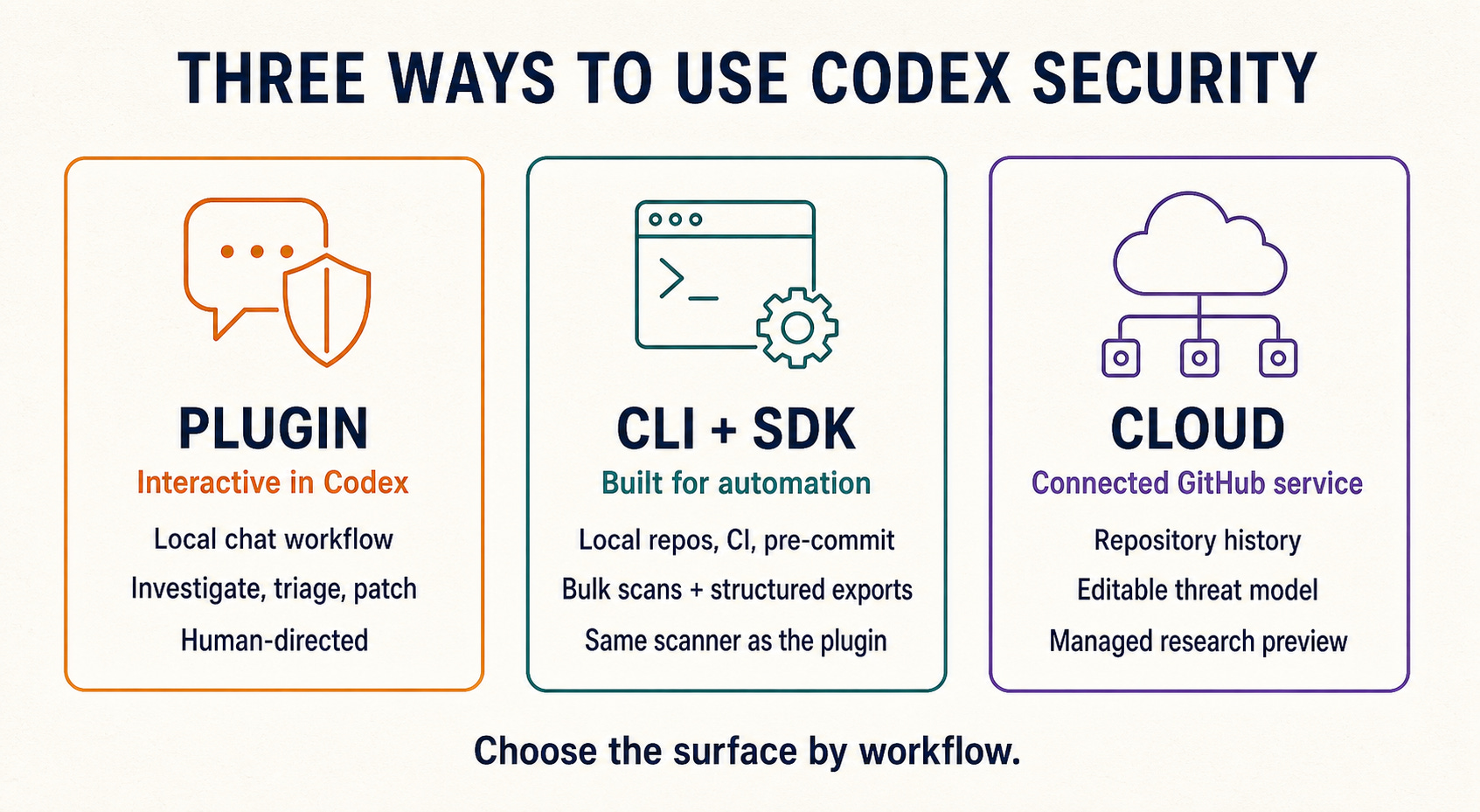
The plugin documentation explicitly separates the local chat workflow from cloud scans. The cloud setup guide requires a repository connected through Codex cloud and scans its selected history window. The CLI works from a local checkout or repository inventory and stores its own scan artifacts and history.
What open source means here
The package boundary is open. Teams can inspect the CLI, SDK, plugin skills, schemas, and supporting code under Apache 2.0. They can pin a commit, audit changes, fork the host, and override the bundled plugin with --plugin-path.
The model boundary remains an OpenAI service dependency. Live scans use a ChatGPT sign-in, an OpenAI API key, or another supported Codex credential. Publishing the orchestration code does not supply model weights or a self-hosted inference path. A team can preserve and modify the workflow code while still losing scan execution if its OpenAI access changes.
That is a different form of openness from the open-weight strategy used in the AI Cybersecurity Playbook. With sufficiently permissive open weights, a team can move model inference between compatible providers or operate its own deployment. Open-source orchestration allows inspection and modification of the harness. A defensive stack can use both, either, or neither. The operational question is which dependency the team needs to control.
Current access language also deserves care. OpenAI’s Help Center lists Codex Security as a research preview for ChatGPT Pro, Business, Enterprise, and Edu users, with managed-workspace permissions able to restrict access. The public package supports ChatGPT and API-key authentication, but authentication does not itself guarantee every scan capability.
Trusted Access for Cyber is a separate identity and trust program. OpenAI recommends it for the best CLI results. The current quickstart says some full-repository scans may require Trusted Access depending on the account and repository. Installation and ordinary package inspection do not require that verification.
Where Codex Security fits in the Playbook
The AI Cybersecurity Playbook covers a wider control system. It starts with identity, secrets, dependency hygiene, logging, backups, incident response, and agent guardrails. It adds deterministic scanners, agentic pentesting, path-aware code review, remediation, exercises, and an evidence ladder for closing findings.
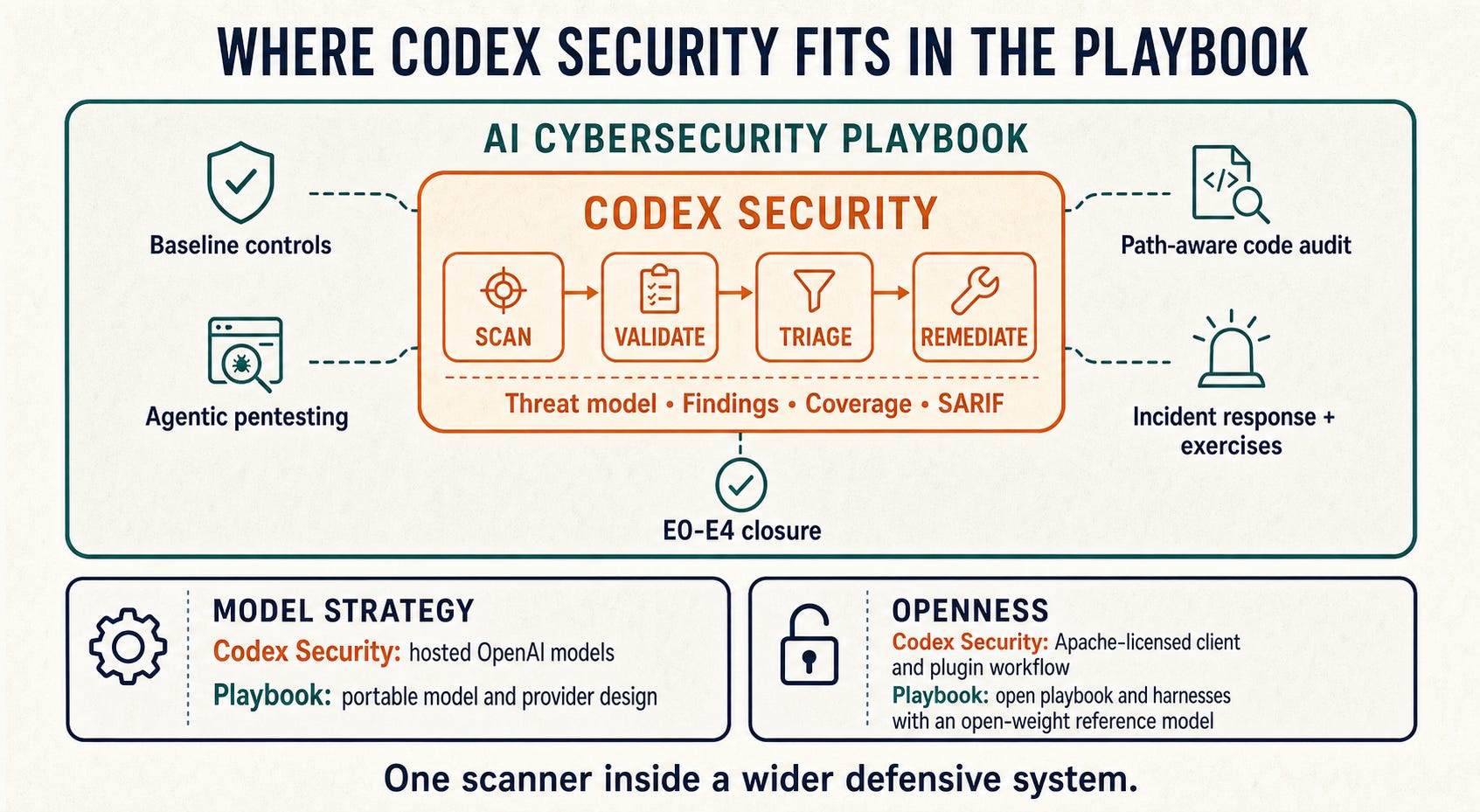
Codex Security can occupy the Playbook’s scanner and remediation-agent positions. Its manifest and coverage files make scope visible. Its findings carry evidence and remediation data. Its validation workflow can raise a plausible code path toward reproduced impact when the test is authorized and the evidence is preserved.
The Playbook still sets the closure rule. A static or model-supported path usually remains E1 or E2. Reproduction can reach E3. E4 requires the fix, a safe failure of the original test, passing regression tests, and an independent check. Codex Security’s validate command is useful after a fix, and OpenAI’s own reference warns that a scan comparison alone does not prove remediation. A separate verifier remains appropriate for high-severity findings.
Coverage also needs interpretation. A complete value means the scan records complete coverage for its selected scope. It does not prove that the repository has no vulnerabilities. Review exclusions, deferred areas, assumptions, and open questions before using the result as evidence.
Choose the surface by workflow
Use the plugin when one engineer needs an interactive scan, wants to question the evidence, or plans to move directly into a bounded patch and verification conversation.
Use the CLI when the scan must run from a known command with fixed scope, retained artifacts, a severity policy, and predictable integration points. Use the SDK when an internal platform needs typed results, progress events, cancellation, or its own scan lifecycle.
Use Codex Security cloud for connected GitHub repositories when the team wants repository-history scanning, an editable threat model, cloud validation, and proposed patches inside the managed product.
Use the Playbook to decide what surrounds any of those surfaces: authorization, deterministic evidence, escalation thresholds, cross-checking, remediation review, incident procedures, and closure criteria.
Treat Codex Security output as one source of evidence. Keep deterministic checks, authorization, regression tests, and independent verification around it.