

Managing OpenClaw with Claude Code
From Ad-Hoc Config to Standardized Operations

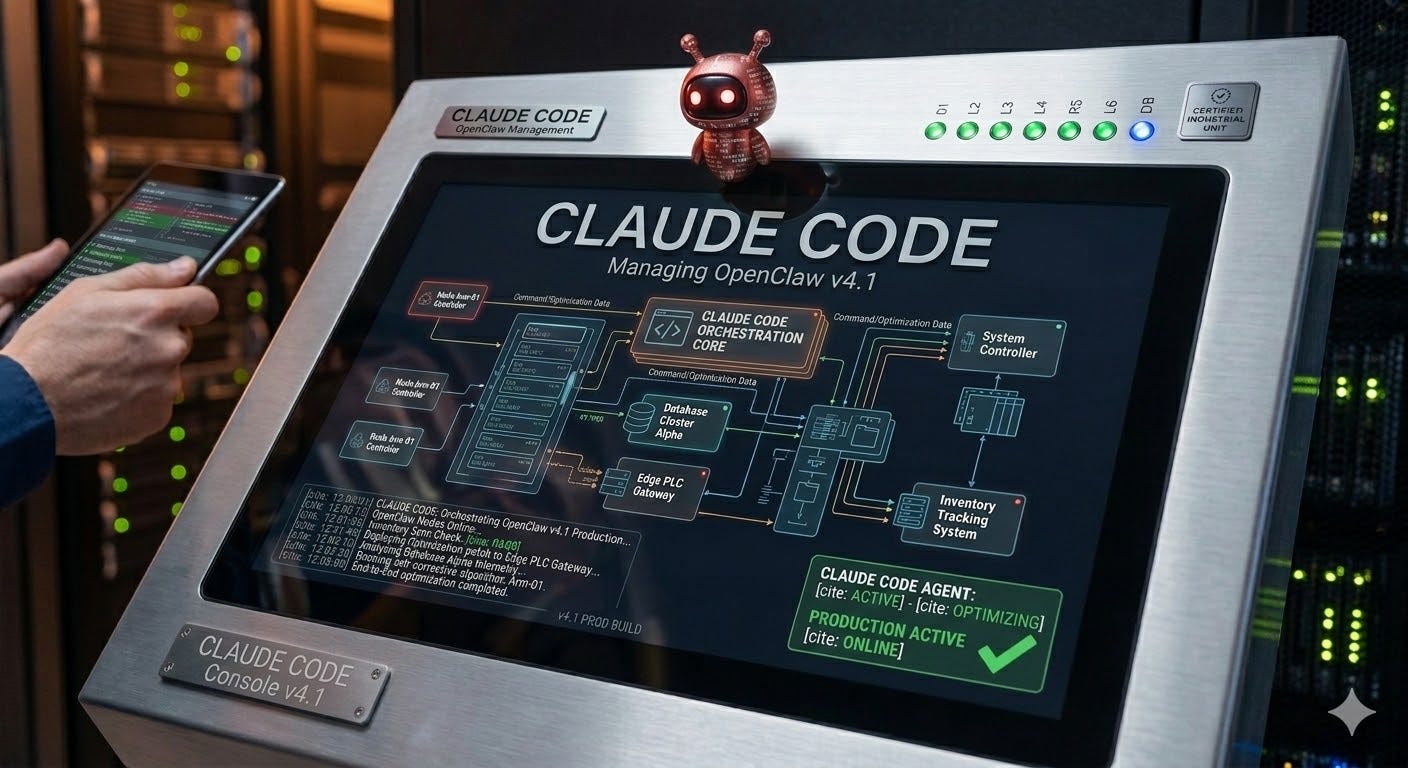
This is a follow-up to OpenClaw in the Real World, where we covered the patterns that emerge when you move AI agents from experiments to production - memory architecture, deterministic scripts, Git+Stow deployment, and the shift from prompting to configuration. This post is about what happens next: making those patterns repeatable.
The Configuration Problem Nobody Talks About
In the last article, I described what a production OpenClaw deployment looks like after a few months: 15 agents, 23 cron jobs, 4 Telegram bots, 2 Slack workspaces, a WhatsApp integration, macOS Keychain secrets, deterministic scripts, dream routines, and a Git+Stow deployment pipeline.
What I didn’t talk about was how all that configuration actually gets created.
Here’s the thing most people don’t realize about OpenClaw: you don’t configure it from a dashboard. You don’t SSH into a server and edit files. Most of the time, you’re configuring OpenClaw by talking to your agents.
“Hey, set up a cron job to check email every 15 minutes.” “Add a Telegram channel for the new insurance agent.” “Create a dream routine that runs at 11 PM.” These are natural language requests to the agents that live inside OpenClaw - and the agents execute them by editing the same flat files that define the system.
This is where it gets interesting. And where it gets dangerous.
The Agent-as-Admin Problem
When you have two or more agents, configuration changes become non-deterministic. Not in the “random failure” sense - in the “different agent, different implementation” sense.
Ask your primary orchestrator agent (running Opus) to add a cron job and it might construct the JSON perfectly, set the timezone, configure isolated sessions, and add appropriate timeouts. Ask a sub-agent (running Haiku, optimized for cost) to do the same thing and it might produce valid JSON that’s missing the timezone field — defaulting silently to UTC instead of your local time. The cron job works, but it fires at 4 AM instead of 9 AM, and you don’t notice for a week.
It’s not just the model. It’s the context. The same agent, asked the same question at different points in a conversation, might take different approaches. Early in a session, with a fresh context window, it reads the existing jobs.json and follows the established pattern. Late in a session, with a packed context, it constructs the JSON from its training data instead of from your conventions. The structure is valid. The conventions are slightly off. The keychain service is named openclaw-telegram-bot instead of openclaw.telegram-bot-token. The environment variable uses hyphens instead of underscores. The secrets.sh provisioning file doesn’t get updated because the agent didn’t know it existed.
Now multiply this across 15 agents, each potentially making configuration changes, each with different models, different context loads, different knowledge of the system’s conventions. Your orchestrator uses Opus. Your sub-agents use Sonnet or Haiku. Your monitor agent runs headless on a 15-minute cron cycle with a 120-second timeout - it has no conversational context at all.
There are no checks and balances. No schema validation catches a missing timezone field. No linter flags an inconsistent naming convention. No pre-commit hook verifies that all three secrets files were updated. The agent modifies the files, stow deploys them, and the gateway loads whatever it gets.
This is the configuration equivalent of giving every developer on your team direct write access to production with no code review, no CI, and no style guide. It works when you have one developer who remembers everything. It falls apart the moment you scale.
The Human Fallback Isn’t Better
Even when you bypass agents and configure things yourself, the problem persists. You open openclaw.json in your editor, scroll through 800 lines of JSON, find agents.list, copy an existing entry, change the fields, hope you didn’t miss a comma, create the directory structure from memory, write six markdown files, run stow, restart the gateway, and pray.
You want to add a Telegram bot? You create the bot in BotFather, copy the token, figure out the keychain command syntax (security add-generic-password -s ... -a ... -w ...), remember that you also need to update openclaw-secrets.sh and openclaw-env.sh and secrets.sh, add the channel config to openclaw.json, create the binding, stow, restart, check logs.
Every one of these operations is documented. The patterns are established. But each time — whether it’s you or your agent doing it - the implementation is reconstructed from scratch. And every reconstruction is an opportunity to forget a step, miss a file, or introduce a subtle misconfiguration that doesn’t surface until 3 AM when an agent silently stops receiving messages.
This is the gap between having good patterns and actually following them consistently.
Why OpenClaw Configuration Is Inherently Ad Hoc
This isn’t a design flaw — it’s a consequence of how OpenClaw works, and it’s actually one of its strengths.
OpenClaw is configuration-driven. Everything lives in flat files: JSON config, markdown directives, shell scripts, keychain entries. There’s no web UI, no database, no admin panel. The entire state of your deployment is a directory tree you can ls.
This is exactly what makes Git+Stow viable. It’s why disaster recovery takes 10 minutes instead of 10 hours. It’s why you can diff two agent configurations, branch experimental changes, and roll back a broken deploy with git checkout. And it’s what makes agents capable of self-configuration in the first place - they can read and write the same flat files that define the system.
But that power comes with no guardrails. Flat-file configuration means there’s no workflow engine forcing steps in order. Nothing validates that your openclaw.json entry matches your directory structure. Nothing checks that all three secrets files were updated when a keychain entry was added. Nothing enforces naming conventions across agents that have never seen each other’s work.
When a human is the workflow engine, the failure mode is forgetting steps. When an agent is the workflow engine, the failure mode is worse: it completes all the steps, confidently, but with subtly different conventions each time. And because the agent did complete the task successfully - the cron job runs, the channel connects, the script executes - nobody notices the drift until it compounds into something that breaks.
The irony is sharp: we build agents to handle complexity for us, then hand them the most complexity-sensitive part of the system - its own configuration - with no structure, no validation, and no standardized procedure.
Enter Claude Code Skills
What OpenClaw configuration needs is what any scalable system needs: checks and balances. A standardized procedure that produces the same result regardless of who - or what - executes it.
You could build a CLI tool. But CLI tools need maintenance as the config schema evolves, they’re opaque to the person running them, and they can’t adapt to context (”this agent is a sub-agent, so also wire it to the parent’s allowAgents”).
You could write documentation. But documentation is a suggestion. Agents don’t follow suggestions — they follow instructions when those instructions are in their context window, and improvise when they’re not.
Claude Code has a feature called skills that threads this needle. Skills are markdown files that live in .claude/skills/ in your project. Each skill is a playbook: a structured set of steps that Claude Code follows when you invoke it with a slash command.
The key insight: skills are executable standards. They’re the checks and balances that are missing when agents self-configure.
They’re not code - they’re markdown instructions. You can read them, edit them, version control them. No build step, no dependencies, no binary to maintain.
They’re not documentation - they’re executable. When you type /openclaw-new-agent devin-jr “Devin Junior”, Claude Code reads the skill and does the thing. Creates directories, generates files, edits JSON, runs stow, restarts the gateway.
They encode institutional knowledge - the fact that you need to
rm -f ~/.openclaw/cron/jobs.jsonbefore stowing because the gateway overwrites it. The naming convention for keychain services (openclaw.<service-name>, lowercase, hyphens) vs. environment variables (OPENCLAW_<SERVICE_NAME>, uppercase, underscores). The six files every agent needs. The three files every secret touches.They’re model-independent - whether Claude Code is running Opus, Sonnet, or Haiku, the skill defines the same steps, the same conventions, the same verification checks. The model’s job is to execute the procedure, not to invent one.
Instead of asking an agent “add a cron job” and hoping it follows your conventions, you run /openclaw-add-cron and the skill defines the conventions. The agent fills in the specifics - schedule time, payload message, target agent - but the structure, the schema, the naming patterns, and the verification steps are fixed.
Configuration becomes a conversation with guardrails instead of an improvisation.
The Skills
I’ve open-sourced a set of nine Claude Code skills at cc-openclaw. Here’s what they do and why each one exists.
/openclaw-new-agent — Because Agents Are More Than a JSON Entry
Creating an agent in OpenClaw means touching at least seven things: the agent entry in openclaw.json, the directory tree, and five or six markdown directive files (SOUL.md, IDENTITY.md, USER.md, AGENTS.md, TOOLS.md, SECURITY.md).
Skip SECURITY.md and your agent has no credential handling policy. Forget the memory/archives/ subdirectory and the dream routine will fail silently three weeks later when it first tries to archive a distillation. Miss the scripts/lib/ directory and deterministic script scaffolding breaks.
The skill handles all of it. It also asks the right questions upfront: Is this a standalone agent or a sub-agent? If sub-agent, which parent? What model should it use? Does it need a channel? Then it generates everything from templates drawn from production agents.
Maps to best practice: Agent Hierarchy & Workspace Organization (Part 2 of the original article). The skill enforces the file discipline pattern - core config is version-controlled, generated content is tracked, ephemeral data is gitignored.
/openclaw-add-channel — Because Secrets Have a Pipeline
Adding a messaging channel isn’t just config. It’s config and secrets and routing.
For Telegram alone, the pipeline is: BotFather token → macOS Keychain → openclaw-secrets.sh (for launchd) → openclaw-env.sh (for shell sessions) → secrets.sh (for provisioning new machines) → openclaw.json channel config → openclaw.json binding → stow → gateway restart → log verification.
Miss the openclaw-env.sh step and your CLI commands fail with MissingEnvVarError while the gateway works fine (because it uses openclaw-secrets.sh). Miss secrets.sh and your disaster recovery script won’t provision the token on a fresh machine.
The skill handles each platform differently - Telegram needs a bot token, Slack needs both a bot token and an app token for socket mode, WhatsApp uses phone number allowlists — and routes through the full secrets pipeline every time.
Maps to best practice: Security Model (Part 5 of the original article). Keychain-only secrets, never written to files, consistent naming conventions enforced by the skill.
/openclaw-add-cron — Because Cron > Heartbeat
The original article made the case for cron over heartbeat: system-managed scheduling guarantees execution independent of agent workload. This skill makes it trivial to act on that principle.
It supports all three schedule types (cron for recurring, every for intervals, at for one-shots), handles the UUID generation, sets appropriate timeouts, and always uses isolated sessions by default (cheaper, cleaner, no context bleed from the agent’s main conversation).
It also knows about the jobs.json gotcha - the gateway overwrites this file on every startup, turning your stow symlink into a real file. The skill handles rm → stow automatically.
Maps to best practice: Determinism Over Prompting (Part 4 of the original article). Cron jobs with deterministic scripts eliminate the “did the agent remember to check?” failure mode.
/openclaw-dream-setup — Because Memory Doesn’t Maintain Itself
Dream routines — nightly memory distillation — were one of the most impactful patterns from the original article. They’re also one of the most complex to set up correctly.
A working dream routine requires: DREAM-ROUTINE.md (the distillation spec with token budgets), MEMORY.md (the curated long-term knowledge base), the memory/archives/ directory, a cron job, QMD index paths in openclaw.json, and an updated session startup sequence in AGENTS.md.
The token budgets matter. 2,500 tokens per daily distillation, 7,500 for the rolling 3-day digest. Blow these and your agent’s context window fills with memory retrieval instead of actual work. The skill encodes these constraints directly.
Maps to best practice: Memory Architecture That Scales (Part 1 of the original article). QMD, dream routines, and the transaction vs. operational memory distinction.
/openclaw-add-script — Because Scripts Are Tools
The original article’s mantra: “Reserve LLM capacity for interpreting intent.” Deterministic scripts handle the compute-heavy, structured-output tasks. The LLM orchestrates.
But the script pattern has ceremony: set -euo pipefail, the json-response.sh shared library, stdout-only-JSON, stderr-for-logging, exit-code-is-law. Writing a new script from scratch means either copying an existing one and modifying it (introducing drift) or remembering all the conventions.
The skill scaffolds correctly every time. It creates the shared library if it doesn’t exist, generates the script from a template, asks what the script should do, implements the logic, makes it executable, and documents it in TOOLS.md.
Maps to best practice: Determinism Over Prompting (Part 4). Scripts as workers with structured JSON output.
/openclaw-add-secret — Because Three Files, Every Time
A secret in OpenClaw touches three files beyond the keychain itself:
openclaw-secrets.sh- loaded by launchd when the gateway startsopenclaw-env.sh- sourced by your shell for CLI commandssecrets.sh- the provisioning script for setting up a fresh machine
Forget file 2 and you get MissingEnvVarError in your terminal while the gateway works fine. Forget file 3 and your 10-minute disaster recovery becomes a “which secrets am I missing?” puzzle.
The skill enforces the naming conventions (keychain service: openclaw.<name>, lowercase hyphens; env var: OPENCLAW_<NAME>, uppercase underscores) and updates all three files automatically. It never echoes the secret value back - not in the terminal, not in a file, not in git history.
Maps to best practice: Security Model. Keychain-first, convention-enforced, provisioning-aware.
/openclaw-status — Because You Need a Dashboard
When something’s wrong - an agent isn’t responding, messages aren’t arriving, a cron job stopped firing - the first five minutes are spent figuring out what’s wrong. Is the gateway running? Are channels connected? Is WhatsApp in a restart loop? Did a cron job start failing silently?
The skill checks everything in one pass: gateway health endpoint, launchd service status, channel connectivity from logs (Telegram bots, Slack socket mode, WhatsApp auth), agent count, cron job results (last run, consecutive errors), and recent error log entries.
It’s the kubectl get pods equivalent for OpenClaw.
Maps to best practice: This one maps to operational maturity generally. The original article emphasized that agents need monitoring infrastructure - this skill is that monitoring, available on demand.
/openclaw-restart and /openclaw-stow — Because Operations Have Gotchas
These are the simplest skills, and that’s the point.
Restarting the OpenClaw gateway isn’t launchctl kickstart. It’s rm -f ~/.openclaw/cron/jobs.json → stow → kickstart → wait → verify channels. The jobs.json conflict is the kind of operational knowledge that lives in one person’s head and costs 20 minutes of debugging when someone else encounters it for the first time.
The restart skill also verifies that channels actually reconnect - it doesn’t just fire-and-forget the launchctl command. It checks logs for Telegram bot startup, Slack socket connection, and WhatsApp auth state.
Maps to best practice: Git+Stow Deployment (Part 3 of the original article). Stow is the deployment mechanism, and the skill encodes its operational quirks.
The Meta-Pattern: Structured Configuration for Non-Deterministic Systems
The deeper point here isn’t about Claude Code specifically. It’s about a principle: non-deterministic systems need deterministic configuration management.
LLMs are powerful precisely because they’re flexible — they can interpret intent, adapt to context, handle ambiguity. But flexibility is the enemy of consistency, and consistency is what configuration demands. You don’t want your cron job timezone to depend on which model was loaded that afternoon. You don’t want your keychain naming convention to drift because an agent was working from a packed context window.
Skills separate the what from the how. The human (or the agent making the request) decides what - “I need a new agent for insurance inquiries.” The skill decides how - which directories to create, which files to generate, which JSON fields to set, which naming conventions to follow, which verification steps to run. The executing model provides the intelligence to fill in the blanks. The skill provides the structure to keep it on rails.
This is the same principle behind infrastructure-as-code, Kubernetes manifests, Terraform plans. You don’t let engineers freestyle their way through AWS console clicks. You define the desired state in a file, and a tool ensures it gets applied consistently. Skills are that file - except instead of a rigid DSL, they’re natural language instructions that an LLM can follow with judgment while still adhering to the defined procedure.
OpenClaw’s flat-file architecture makes this especially clean. Every operation is: read some files, make some edits, run some commands. That’s exactly what Claude Code does. The skills just tell it which files, which edits, and which commands - with all the institutional knowledge baked in.
The skills also compose naturally. /openclaw-new-agent suggests running /openclaw-add-channel if you want messaging. /openclaw-add-channel calls the same secrets pipeline as /openclaw-add-secret. /openclaw-dream-setup creates a cron job the same way /openclaw-add-cron does. Each skill is independent, but they share the same operational patterns. Configuration changes that touch the same subsystem always go through the same procedure, regardless of which agent or human initiated them.
Getting Started
The skills are open-source at github.com/rahulsub-be/cc-openclaw.
Clone the repo alongside your openclaw-home project and use GNU Stow to symlink the skills in:
git clone https://github.com/rahulsub-be/cc-openclaw.git ~/cc-openclaw
cd ~/cc-openclaw
stow --no-folding -t ~/your-openclaw-home-repo .
This creates symlinks from your openclaw-home’s .claude/skills/ pointing into the cc-openclaw repo. Open Claude Code in your openclaw-home directory and type /openclaw- — all nine skills show up in autocomplete.
When the skills get updates, pull and you’re done — the symlinks already point to the right place:
cd ~/cc-openclaw
git pull
If new skills were added, re-run stow to pick them up. This is the same Git+Stow pattern from the original article, now applied to the configuration tools themselves.
All skills detect your repo location automatically via the stow symlink:
OPENCLAW_REPO=$(readlink ~/.openclaw/openclaw.json 2>/dev/null | sed ‘s|/.openclaw/openclaw.json||’)No hardcoded paths. Works regardless of where you've cloned your repo.
What’s Next
These skills encode the patterns from one production deployment. They’re opinionated — they assume macOS, GNU Stow, macOS Keychain, and the specific file conventions described in the original article.
The contribution model is simple: each skill is a single markdown file. If your deployment has different conventions - Linux Keyring instead of macOS Keychain, systemd instead of launchd, a different directory structure - fork the repo and adapt the skills. The format is designed to be readable and editable by humans.
We’re also working on companion documentation playbooks that go deeper into each pattern: memory system design, sub-agent architecture, the monitor-devbot pattern for autonomous development. These will be published separately and cross-referenced from the skills.
The end goal is straightforward: make it so that configuring a fleet of AI agents is as reliable as deploying any other production system. Standardized setup, consistent conventions, reproducible operations - regardless of which agent, which model, or which point in a conversation the change originates from.
Your agents should be doing work, not inventing configuration procedures. That’s what the skills are for.
The cc-openclaw repo is MIT-licensed. PRs welcome.
This article is part of the Trilogy AI Center of Excellence series on production AI agent infrastructure.
‘
The end goal is straightforward: make it so that configuring a fleet of AI agents is as reliable as deploying any other production system.
‘
agreed. i definitely think it’s achievable. it’s a great goal to we working towards.
great read.
openclaw gives you something rare in ai right now: full visibility and control of the system.
that power naturally comes with more responsibility for structure.
playbooks like claude code skills make sense here. they don’t replace openclaw’s flexibility, they help teams standardize how that flexibility is used at scale.